

1. Sign in to your account.
2. Click your display name in the top right of the screen and select “Subscriptions”.
3. The group name, plan name, status, payment amount, registration date, and next billing date for your active subscription plans are displayed. Click the group name to navigate to the group page.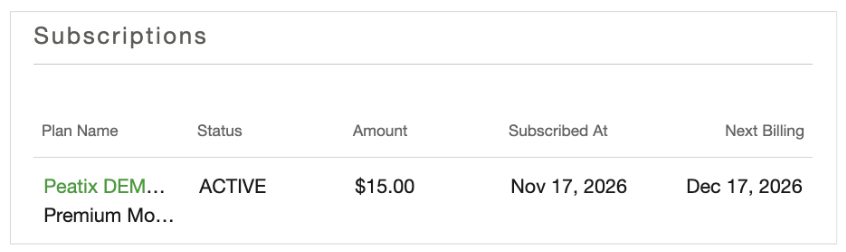
Status types
- Active: The membership is active.
- Pending: Credit card payment is being processed.
- Suspended: The existing credit card cannot be charged due to reasons such as card expiration. Waiting for the member to update their credit card information.
- Not renewing: The member has initiated cancellation, and cancellation is scheduled for the next billing date. (The membership remains active until the next billing date. On the next billing date, it will not renew and will automatically transition to “Canceled”.)
- Canceled: The membership is inactive.