

If you are unable to sign in to your account due to any of the following problems, please refer to the respective solutions.
※Regarding new registration and login via the Facebook and X (formerly Twitter) apps
New registrations and logins using Facebook or X (formerly Twitter) accounts have been discontinued.
Please enter the email address associated with your Facebook or X account and log in using the sign in code sent to that email address.
Account Related
- I forgot my email address or external service account I used when I created my account
- I encountered "We couldn't find an account with the information you entered. Please try again or create a new account." message
- I encountered "Looks like you already have a Peatix account that matches the email address used in your (external service) account." message
Password Related
Others
- I encountered "You have made too many failed attempts to sign in." message
- I encountered "Your Internet connection seems to be offline" message
<Account Related>
I forgot my email address or external service account I used when I created my account
Solution:
You need to identify the email address or external service account (Google, Apple) you used when creating your Peatix account.
If you have forgotten your account, please refer to "How to access your account when you forgot your login details".
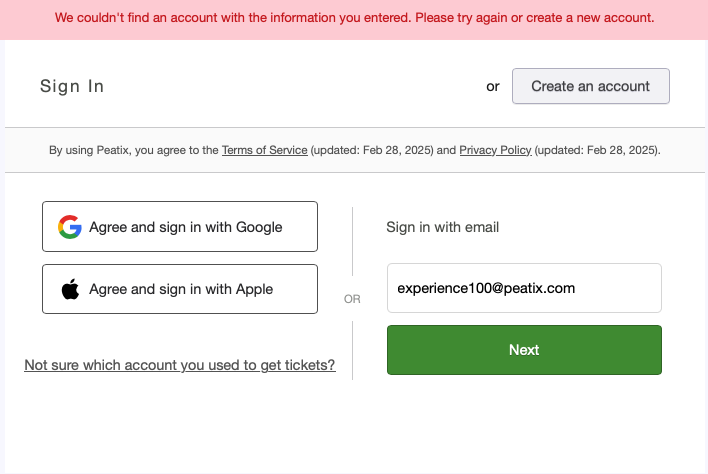
I encountered "We couldn't find an account with the information you entered. Please try again or create a new account." message
Cause:
An email address or external service (Google, Apple) other than the email address you entered has been registered with Peatix.
Solution:
You need to identify the email address you used to create your Peatix account or the external service account. Please refer to the "How to access your account when you forgot your login details".
I encountered "Looks like you already have a Peatix account that matches the email address used in your (external service) account." message
When you try to sign in with an account for an external service on the login screen, if the above message is followed by the message 1) or 2) below, please check the cause and remedy for each.
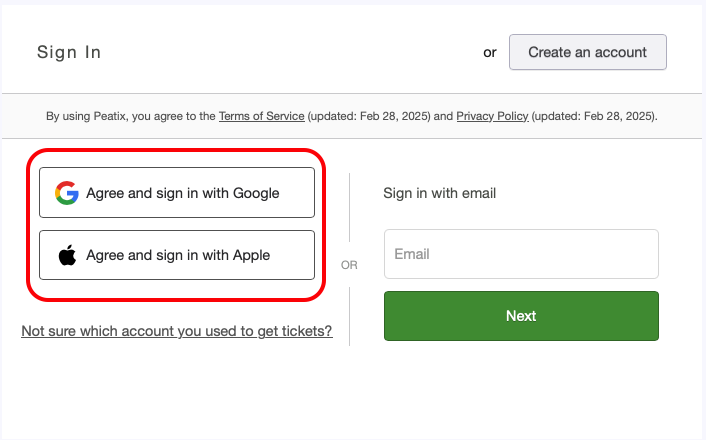
1) When the message "Please login to your Peatix account so that we can link it to your (external service) account."
Cause:
The email address registered for the selected external service account is not linked to Peatix even though it is already registered with Peatix.
Solution:
Please enter the password you set when you registered your Peatix account, and click the "Link Accounts" button.
If you have forgotten your password, click "Email me a sign in code" at the bottom, and a sign in code will be sent to the email address shown.
Once you have signed in, your account will be automatically linked, and you will be able to sign in with the external service account you have selected next time.

*If you have not set a password, the password input field will not appear. When you click "Email me a sign in code", a sign in code will be sent to your Peatix-registered email address.
2) When the message "Please login with your account below so that we can link your (external service) account to your Peatix account."
Cause:
The same email address registered for the selected external service account is not linked to the selected external service account, even though it is already registered in Peatix through another external account linkage.
Solution:
Click the "Continue with (name of external service)" button to display the names of other external services already linked to your Peatix account.
If you have registered not only with other external services but also with your email address, the "Continue with email" button will also appear.
Once you have logged in, your account will be automatically linked, and you will be able to sign in with the external service account you have selected from the next time onward.

<Password Related>
I forgot my password / I cannot sign in even if I enter password I know
Solution:
Please refer to "How to access your account when you forgot your password" and sign in again to obtain a sign in code.
Or, refer to "How to reset your password" and reset your password and sign in again.
<Others>
I encountered "You have made too many failed attempts to sign in." message
Cause:
Your account has been temporarily locked in order that you have entered an incorrect email address or password in sequence.
Solution:
Please wait a few minutes and try again.
I encountered "Your Internet connection seems to be offline" message
Cause:
The mobile data connection of the device itself or the mobile data connection of the individual app may be turned off.
Solution:
Check that the mobile data communication of the device itself is turned on.
Some devices have a setting to turn on or off mobile data communication for each app, so please check that the mobile data communication for each Peatix app is also turned on.